STONEFERN DISK INSIGHT · WINDOWS

Know what is using your storage.

Stonefern Disk Insight gives you a clear, local view of your drives and folders without changing a single file. It is free, read-only, and built to make storage problems understandable.
WindowsLocal onlyRead-onlyNo account
Checking signed release…
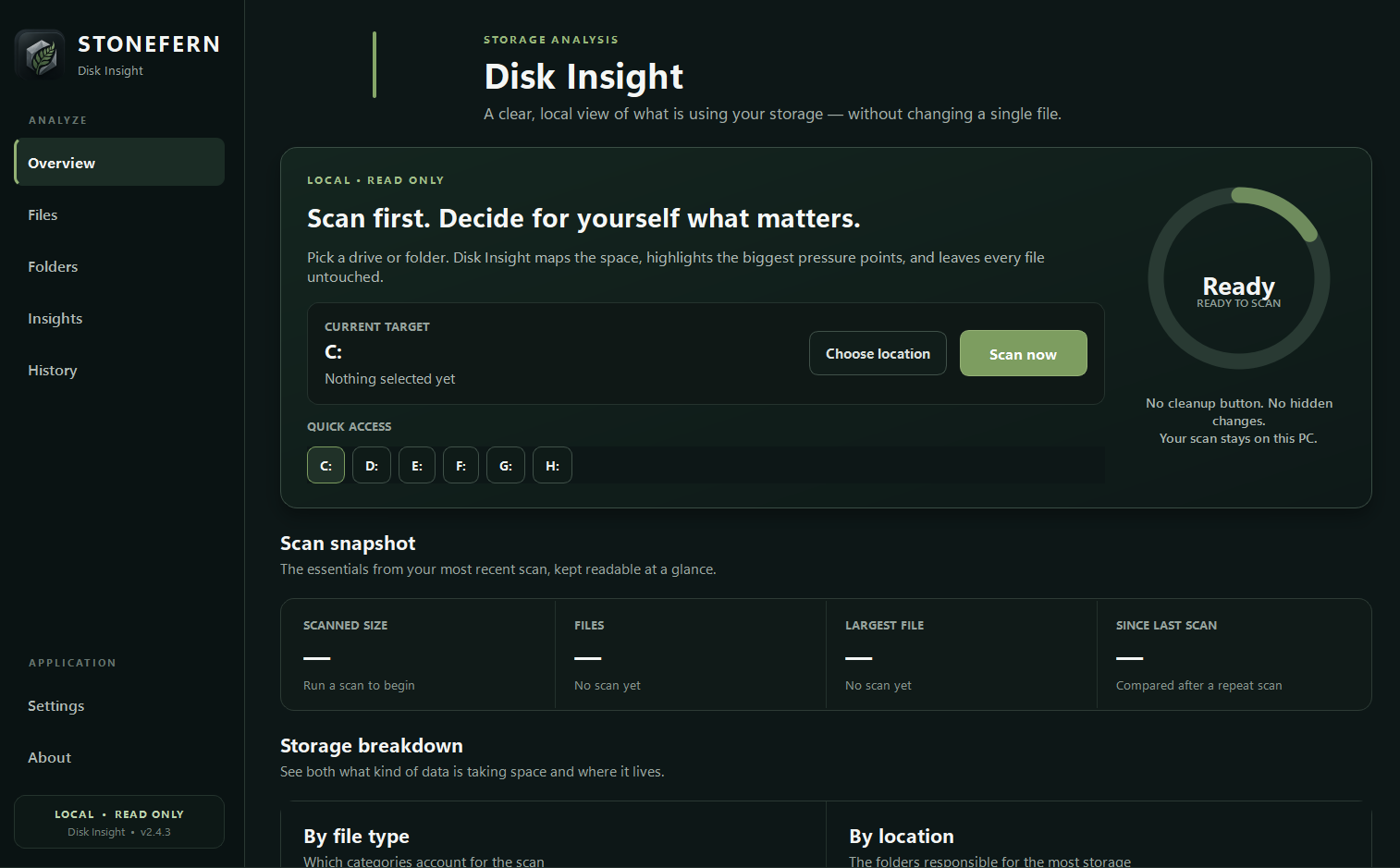
Stonefern Disk Insight read-only Windows storage analyzer dashboard showing scan controls, storage snapshots, and file-location breakdowns
Actual Stonefern Disk Insight interface · current release family
Local analysisYour scan stays on your Windows PC.
Read-only by designDisk Insight does not delete, move, or rename files.
No account requiredInstall it, scan, and inspect your storage.
No telemetryThe current release does not send usage telemetry to Stonefern.
DISK INSIGHT

Scan first. Decide for yourself what matters.

Disk Insight maps your storage, surfaces the biggest files and folders, groups usage by file type and location, and keeps repeat scans readable. It does not contain a cleanup button and it does not make hidden changes.

Largest files & foldersFind the pressure points instead of guessing.
Storage breakdownsSee what kind of data is consuming space and where it lives.
Repeat-scan historyCompare how storage changes over time.
Exportable resultsSave CSV or JSON without uploading your scan.
THE STONEFERN STANDARD

A utility should earn trust through behavior.

Disk Insight is intentionally narrow: inspect storage clearly, preserve user control, and avoid pretending to “optimize” anything it does not need to touch.

01 · LOCAL

Your scan stays with you.

Core scanning and results are processed on the PC where Disk Insight runs.

02 · READ ONLY

No cleanup button.

The current public release does not delete, move, rename, or automatically clean files.

03 · CLEAR

No mystery claims.

Version, release status, privacy behavior, and legal terms are available before download.

WHAT IT DOES

A free, read-only storage analyzer for Windows. Scan drives and folders, find the largest files and locations, compare repeat scans, and export results while leaving your files untouched.

  • Scan an entire drive or choose a specific folder
  • See largest files, folders, file types, and storage pressure points
  • Review file age, extensions, archives, installers, and very large files
  • Compare repeat scans and keep local scan history
  • Export results to CSV or JSON
  • No delete, move, rename, account, cloud upload, or telemetry
LEGAL & PRIVACY

Read the terms before you install.

The Stonefern Works EULA, Privacy Policy, Website Terms, third-party policy, and Disk Insight product notice are available before download.